
Table of Contents
Installing WSL Ubuntu w/ LAMP for Key
Note: WSL works on Windows 10 (>=2004) and Windows 11. For older versions reference the MS docs
LAMP commonly refers to Linux, Apache, Mysql & PHP, which was a common web development stack a few years ago. There are newer, more modern replacements for each component but each alternative adds complexity. I recommend exploring these replacements AFTER you've mastered the basic LAMP stack.
Install WSL Ubuntu
Open PowerShell in Administrator mode.
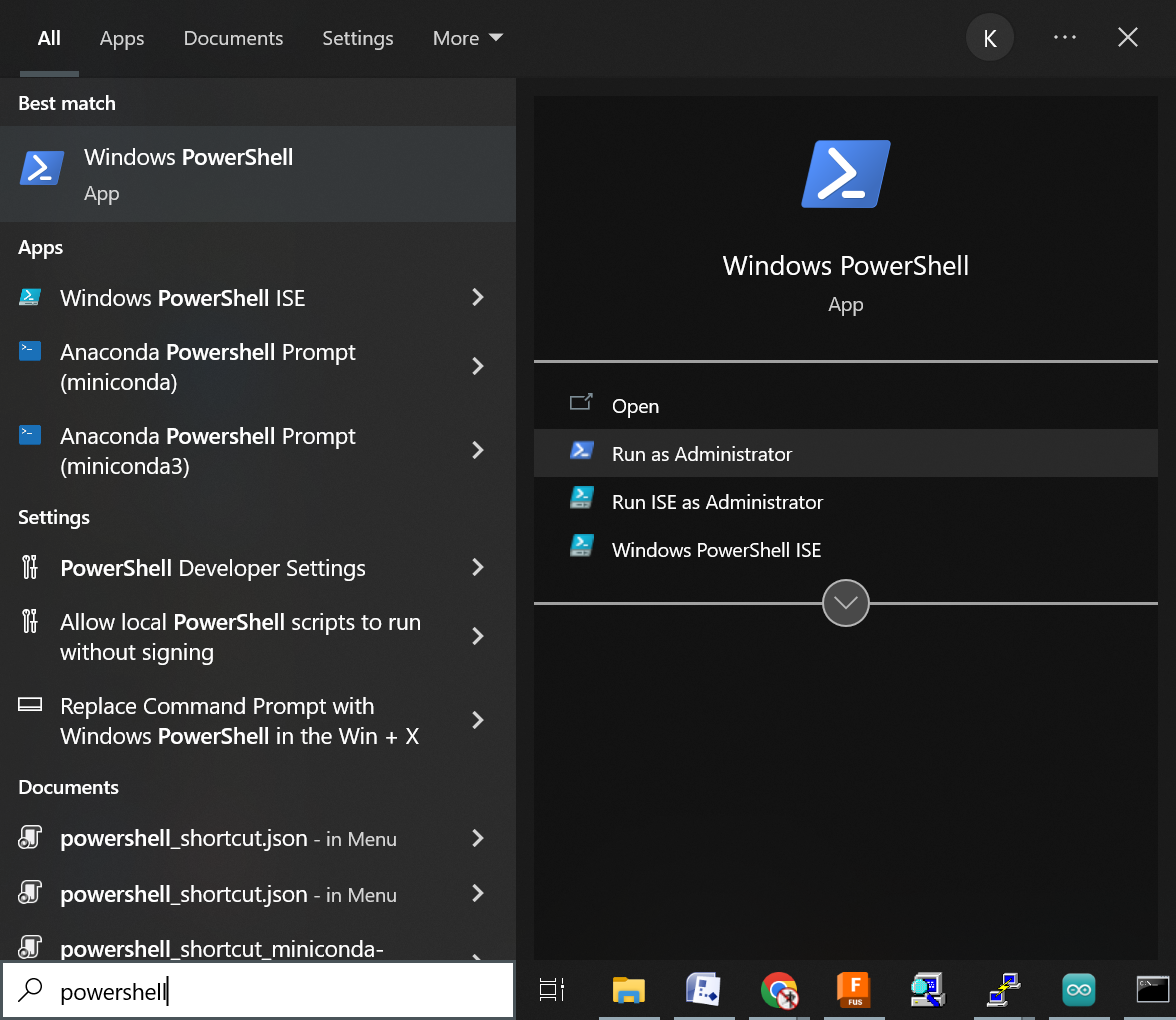
Then run
wsl --install -d Ubuntu
If you want to nuke the installation, verify the name of the installed WSL distribution using:
wsl -l
Which will list the installed distros, e.g.
Windows Subsystem for Linux Distributions:
Ubuntu (Default)
Then remove it by name, e.g.
wsl --unregister Ubuntu
Now update the system as there are dependencies that fail without it.
sudo apt update
Install LAMP
Now you can take a shortcut and install the entire stack with:
sudo apt install lamp-server^
Or install them individually like:
sudo apt install apache2
sudo apt install php libapache2-mod-php php-mysql
sudo apt install mysql-server
Next go through the basic mysql setup
sudo mysql_secure_installation
It will prompt for your sudo password if you haven't used it in a while, and then ask if you want to VALIDIATE PASSWORD COMPONENT.
[sudo] password for spiderkey:

Securing the MySQL server deployment.

Connecting to MySQL using a blank password.

VALIDATE PASSWORD COMPONENT can be used to test passwords
and improve security. It checks the strength of password
and allows the users to set only those passwords which are
secure enough. Would you like to setup VALIDATE PASSWORD component?

Press y|Y for Yes, and other key for No: y

There are three levels of password validation polocy:

LOW    Length >=8
MEDIUM Length >=8, numeric, mixed case, and special characters
STRONG Length >=8, numeric, mixed case, special characters and dictionary
       file

Please enter 0 = LOW, 1 = MEDIUM and 2 = STRONG: 1
Please set the password for root here.
Note this is the password for MySQL root, not system root.